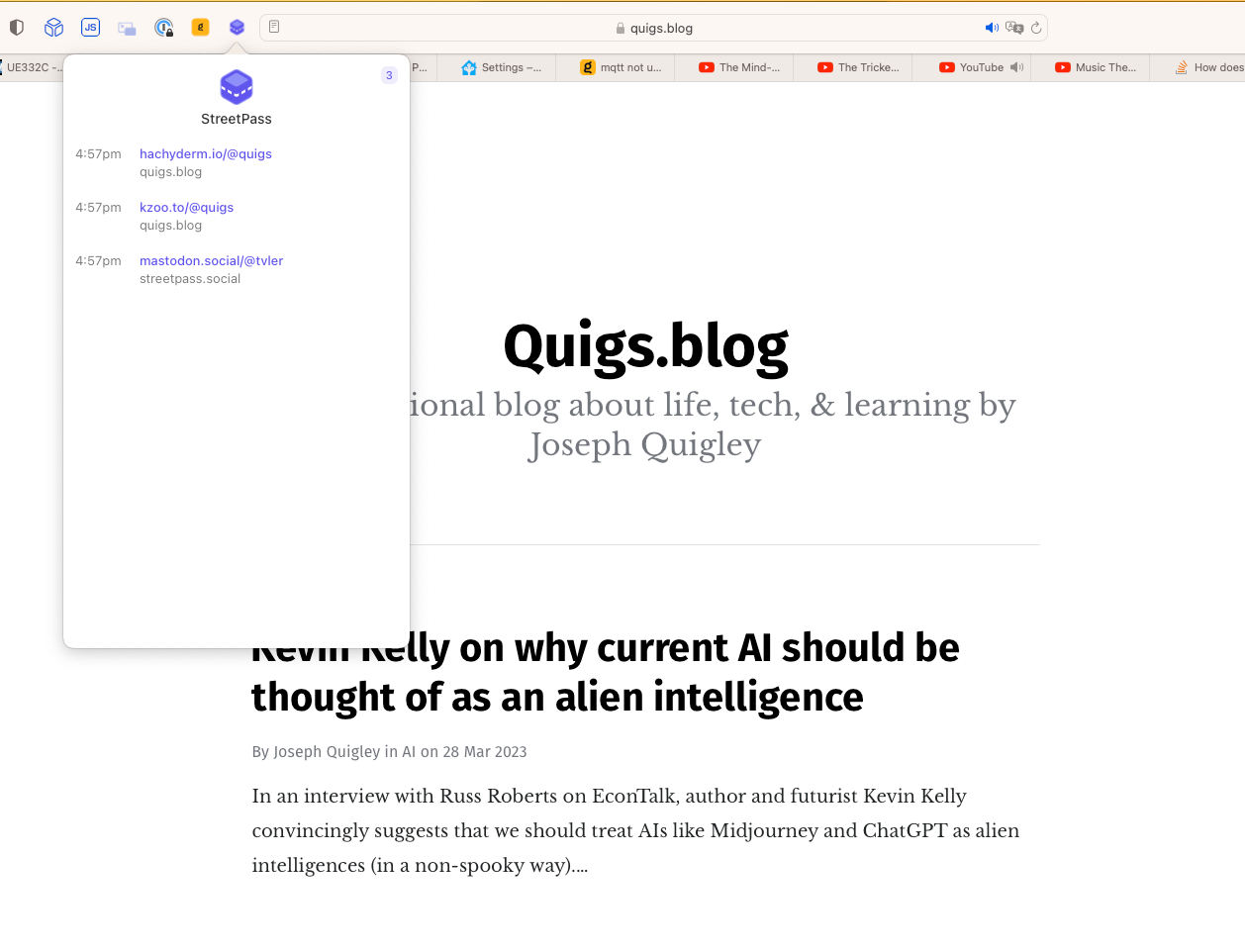
Safari users rejoice! StreetPass is a browser extension that helps you find interesting people on Mastodon. I've been waiting for Safari support for a while and today I noticed it's here!
I particularly like how it maintains a running list of the accounts associated with various web sites you visit throughout the day. For example, here's my experience after two minutes:
My only disapointment is that it does not yet support iOS Safari, but maybe @[email protected] will add that soon.
In an interview with Russ Roberts on EconTalk, author and futurist Kevin Kelly convincingly suggests that we should treat AIs like Midjourney and ChatGPT as alien intelligences (in a non-spooky way):
I've been using the AI image generators for a year now, every day making AI art and they have different personalities...
But in every case, they're alien—the way that they do things because they're running on a different substrate than, than what we run on.
Their creativity is legitimate. It's really creative, but it's off, it's different than us. It's different, it's alien. They have a slightly different alien way of doing it. And that is, it's true benefit.
That's the main reason why they're valuable is because they're not doing it like humans. When they start to do proofs, they're not gonna do it like a human does it.
If they have/when they have consciousness, it'll be slightly different. It will be akimbo from us because it's running on a whole different thing. It's different latencies in all different ways in which is gonna be different. And that is its benefit.
Quite frequently I find myself needing to import a module to gain access to a type (usually a model), but I never interact with that module again. Recently I discovered simple way to skip having to put import ModuleName at the top of my code. This trick is especially handy in SwiftUI, but works for any use case.
Here's an example, let's say a user wants to see their weight from HealthKit in either pounds or kilograms. To do so they press a button. In order to change this information we will create a mock class that interacts with the health data store and returns the current unit for the user's weight:
This post is the first post to be published on the Fediverse directly from @[email protected]! I wrote the Ghost CMS integration myself and will be writing about that experience in the near future.
Have you noticed that all the examples on Apple's website, on Medium, and by prominentSwiftUI bloggers only use List views for the sidebar(s) and don't have a NavigationStack in the final detail view that they push additional content onto? There's a reason for that, and unfortunately it's not a pleasant one.
If you're looking to build a seemingly simple split-view app with a 1-depth sidebar and an n-depth detail view, using List in the sidebar view is a fine choice. But if you do not want the cookie-cutter look and feel List is not your friend. Unfortunately, NavigationSplitViewreally, really wants you to use List and if you don't use one then don't you dare try to programmatically push more content onto the detail view's navigation stack.
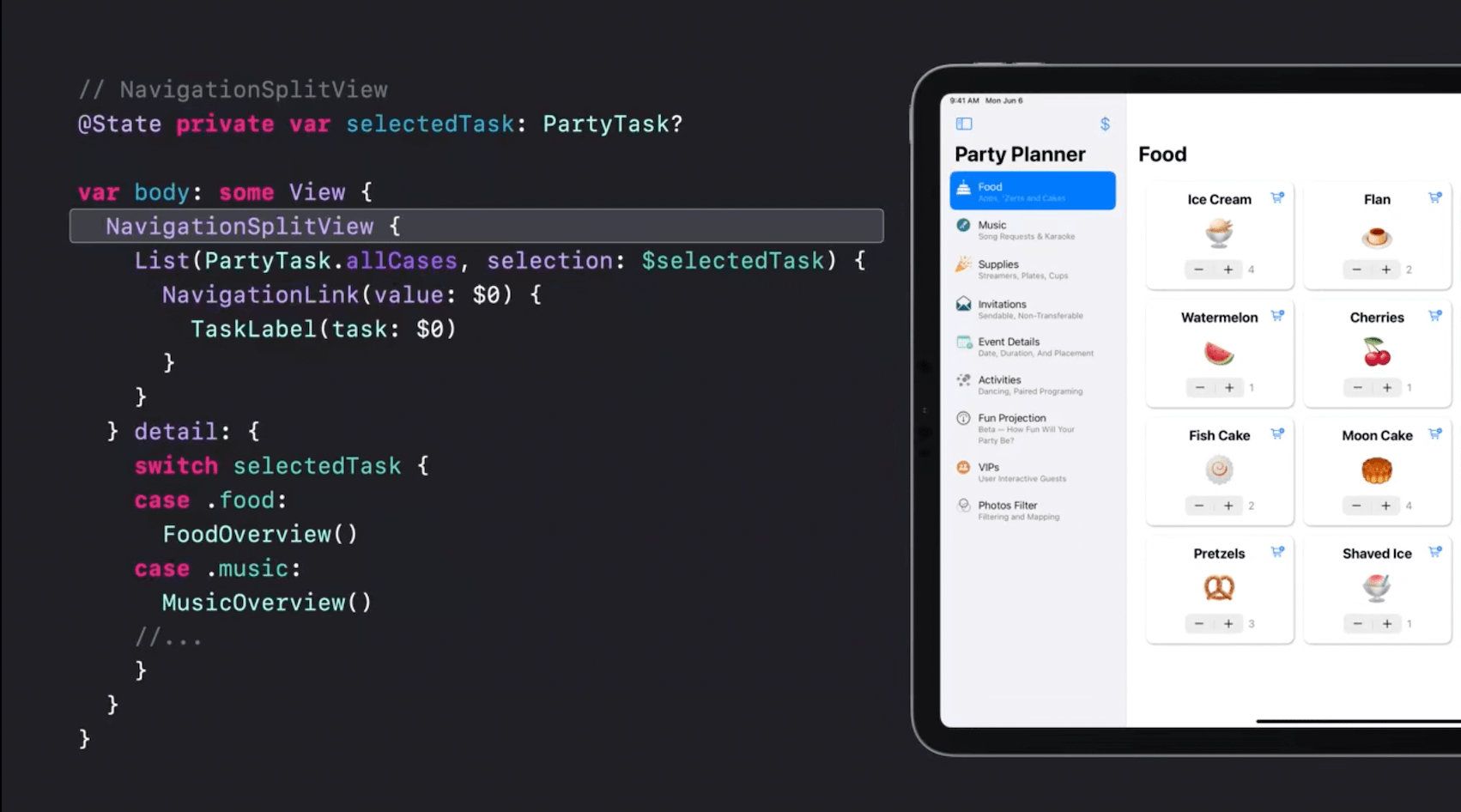
This split view demo from WWDC looks great, but what if your side-bar UI would look better if it were layed out as a grid?
If you're curious or confused by all the hype about the Twitter-like social network called Mastodon, but all the jargon and tech lingo are giving you cold feet about trying it out, this three-point guide is all you need to get started.
Just like you don't have to be a mechanical engineer to drive your car, you don't need a tech degree to use Mastodon. If you've used email, Facebook groups, or Twitter, you are 1/3 to 3/3 of the way to understanding Mastodon.
It's Similar To Email
Maybe you're [email protected], or bob@gmail, or [email protected]. You're that person who signed up for an email account from one company years ago but you don't think twice about sending mail to your friends whose addresses have a different company after the @-symbol than you.
I just published a new issue of For The Learn about apocalypses after being inspired by the podcast and book by Dan Carlin (of Hardcode History fame) and then I started seeing apocalypses everywhere in both daily and historic life, even as recently as two years ago.
If you’ve gotten in an intense argument on Twitter, you might dread this “So-and-so liked 10 Tweets you’re mentioned in” notification. It tends to mean someone went through and gave kudos to every person arguing with and insulting you. It’s stressful to be pinged over and over with this—which is exactly why we’re all tempted to do this to people we think crossed a line. In doing so, we, again, increase the reach of content we dislike.
The other features he mentions are quite refreshing too.
Also, as of today Mastodon has over 1 million active users! 👀
Hey, so, we’ve hit 1,028,362 monthly active users across the network today. 1,124 new Mastodon servers since Oct 27, and 489,003 new users. That’s pretty cool.
Every five to ten years, a popular social network gets hit with a crisis. Twitter's current Musk-y crisis feels precipitously different than its previous ones.
Today I came across a thread by John Bull that introduced me to the perfect word to describe 2022 Instagram and Twitter: The trust thermocline. It describes the sudden point in which various individuals lose trust in an an institution or organization en-masse.
A forced experiment in living like the ancestors did.
Last week I found myself outside of the United States without a functioning phone. “Let's descend under three feet of water and take a photo with my phone”, I suggested to the dive master. “I'm not really comfortable with that. I'm afraid I will drop it in the lake. I will take a photo of you on the surface”, he replied. One minute and three splashes later, I had a memorable photo of me and my friends scuba diving at 5,000ft (1,520 m) and a camera module filled with water. I quickly copied the photos off my phone onto my iPad and then my phone got painfully hot and shut off. Odd considering I washed it with soap and water under a faucet the week before.
I was 2,000 mi (3,200 km) from home and my only working technology was a Wi-Fi-only iPad and a 3 year old cellular Apple Watch Series 5 whose cellular function didn't work in Latin America. Three days later I flew back home like my ancestors did—paper boarding passes, streaming HBO to my own 11-inch screen on the plane, and navigating the airport and public transit via the light of the stars—err turn-by-turn instructions.